HML Analysis Explained
4 min read
By
TranZact Solutions Team
· Published


HML analysis sorts inventory into High, Medium, and Low bands by unit price alone, not usage or criticality. It is the quick way to decide which purchases need senior sign-off.
A ₹50,000 machine part and a ₹5 washer need very different purchase and storage treatment.
What Is HML Analysis?
HML analysis is an inventory classification technique that sorts items into High, Medium, and Low categories by unit price alone. It ignores total consumption value and usage frequency.
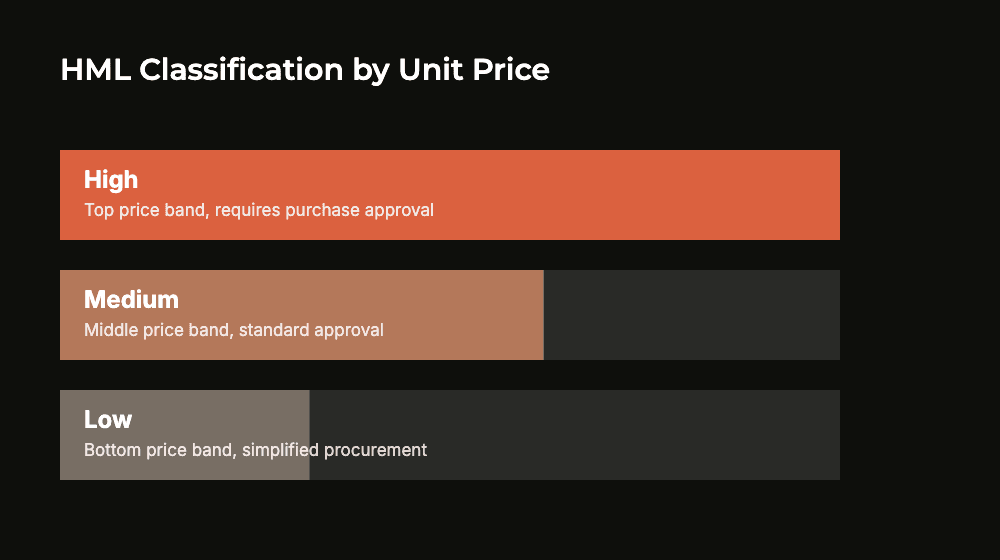
High-value items get tighter purchase approval and storage control. Medium sits in between. Low-value items get simpler, faster buying, since a wrong call costs little.
HML is most useful for setting purchase-approval thresholds, deciding which items need senior sign-off versus which a store-in-charge can reorder without escalation.
HML vs ABC Analysis
Basis: HML ranks items by unit price alone; ABC ranks by total consumption value, price times usage.
Simplicity: HML is faster to set up since it needs only price data; ABC needs accurate usage history too.
Best use: HML suits quick purchase-approval thresholds; ABC suits deciding where tighter inventory control and cost discipline actually pays off.
Overlap: a Low-price item under HML can be an A-category item under ABC if usage volume is high, which HML alone would miss.
Combined approach: some manufacturers use HML for approval routing and ABC for stock-control policy, since the two answer different questions.
Setting up HML in five steps
Sort every item by unit price
Draw High, Medium and Low bands
Set an approval level per band
Cross-check with ABC and VED
Redraw bands when prices shift
How HML Classification Works
You draw the bands from your own price list. Start with the right data, then pick a cutoff method.
Data you need first
A clean item master, with one code per item and no duplicates.
The latest purchase rate for each item, taken from recent POs or GRNs.
Your current approval rules: who signs off on what value today.
Two ways to set the cutoffs
Percentile split. Sort every item by unit price, highest first. Mark the top slice High, the next slice Medium, and the rest Low.
Fixed rupee threshold. Pick rupee cutoffs that match your purchase-approval policy. Anything above the top cutoff goes to the owner.
Percentiles suit a large, mixed catalog, because the bands move with your prices. Fixed thresholds suit owners who want rules tied to exact rupee limits.
A worked example
Say a component maker sets two cutoffs: ₹10,000 and ₹1,000 per unit. These figures are only an illustration, not a benchmark.
Band | Unit price | Example item | Who approves |
|---|---|---|---|
High | Above ₹10,000 | Gearbox spare, ₹50,000 | Owner; kept in a locked store |
Medium | ₹1,000 to ₹10,000 | Bearing, ₹2,500 | Purchase head; standard storage |
Low | Below ₹1,000 | Washer, ₹5 | Store-in-charge; open bins |
With these bands, a ₹50,000 PO waits for the owner’s sign-off. Washer reorders don’t. Senior time goes to the few items where a wrong buy hurts most.
Before you lock the bands, cross-check with VED. A Low-price item can still be Vital if there’s no substitute. So HML alone should not set reorder priority.
Common HML Analysis Mistakes
Where HML classification typically goes wrong:
Using HML as the only classification. Unit price says nothing about consumption volume or criticality. Pair HML with ABC for value and VED for criticality.
Setting price bands once and never updating them. Input costs shift with vendor pricing and inflation; a band drawn two years ago misclassifies items today.
Applying it to finished goods pricing decisions. HML is a purchasing-control tool for raw material and components, not a sales pricing method.
Ignoring quantity in the approval workflow. A High-value item bought in bulk needs a different approval path than a one-off High-value spare purchase, but plain HML treats both the same.
How TranZact Supports Inventory Prioritization
TranZact holds the purchase and stock records your price bands depend on.
Purchases move through one flow: MRP report → indent → RFQ → PO → GRN → payment. See it on the purchase management page. MRP and indent come with the Scale and Dominate plans.
On the stock side, inventory covers stock in, bin card, issue, multi-store and reorder, with AI stock alerts. Accounting stays in Tally, with a one-way sync and no double entry.
Want to see your purchase and stock records in one place before you draw your bands? Book a demo and we’ll walk you through it.