Stock Reconciliation Explained
4 min read
By
TranZact Solutions Team
· Published


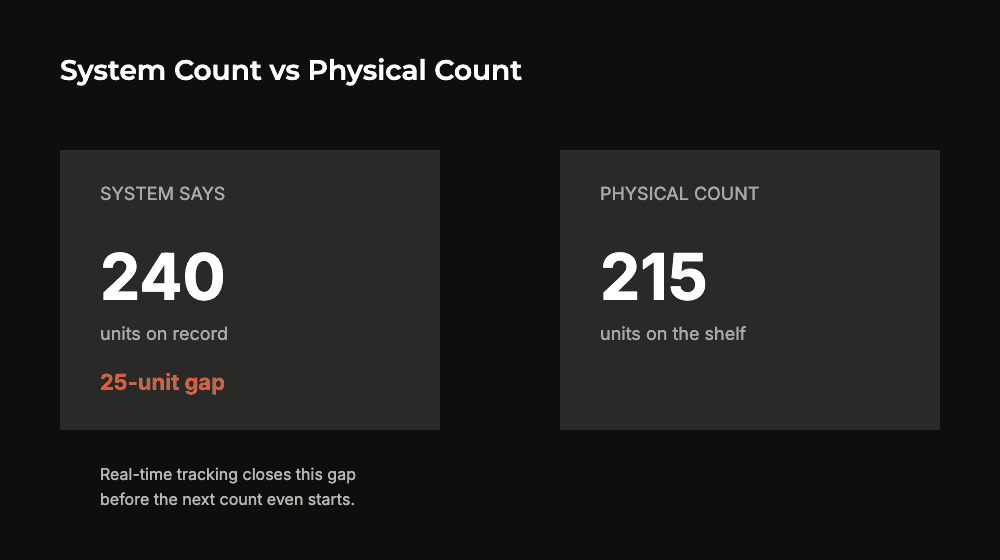
Stock reconciliation is the process of comparing your system’s recorded inventory quantity against what’s physically on the shelf, then investigating and correcting the gap. For manufacturing SMEs, the real risk isn’t the count itself. It’s how often a real gap shows up between counts, since that signals a process failure, not a counting one.
A monthly stock count that always finds a mismatch isn’t really a reconciliation process. It’s a recurring symptom of a system that doesn’t reflect reality between counts.
What Is Stock Reconciliation?
Stock reconciliation is the process of comparing the inventory quantity in your system against the quantity physically in the warehouse. Any difference is then investigated and corrected.
It typically happens in one of two ways. A cycle count checks specific SKUs or locations; a full physical stock take covers the whole warehouse. Either way, the goal is the same: close the gap between the paper number and the real one.
Reconciliation matters most for raw material and finished goods that feed directly into production planning and dispatch commitments. A wrong system number at either end throws off decisions downstream.
Reconciliation With Real-Time Tracking vs Periodic Counting Alone
Update timing: real-time tracking logs every movement as it happens; periodic counting only catches the gap whenever the next scheduled count runs.
Gap size: with real-time tracking, a reconciliation check is a quick confirmation. With periodic counting alone, gaps accumulate silently between counts and can be large by the time they’re found.
Root-cause visibility: real-time tracking shows exactly which transaction caused a discrepancy. Periodic counting alone only shows that a discrepancy exists, not where it came from.
Effort per count: real-time tracking makes each physical count fast since most numbers already match. Periodic counting alone turns every count into a full investigation.
Manufacturer relevance: the gap matters most for fast-moving raw material and WIP. Even a few days of drift there can throw off a production or purchase decision.
How Stock Reconciliation Works
A typical reconciliation cycle runs through a few steps:
Schedule the count. Decide which SKUs or locations get counted and how often. High-value or fast-moving items usually need more frequent checks than slow-moving ones.
Do the physical count. Count what’s actually on the shelf or in the bin, independent of what the system currently shows.
Compare against the system record. Flag every SKU where the physical count doesn’t match the system quantity.
Investigate and correct. Find the cause — a missed entry, a misplaced item, damage or theft — before simply overwriting the system number. The same cause will recur if it isn’t fixed.
What to check in inventory software
Bin card for every item
Multi-store stock view
Stock in and issue logged
AI stock alerts and reorder levels
Batch tracking (Dominate plan)
Accounting sync with Tally
Common Stock Reconciliation Mistakes
Where reconciliation processes typically break down:
Correcting the number without finding the cause. Overwriting the system count to match the physical one fixes today’s number but leaves the actual cause — a process gap — unfixed for next time.
Treating reconciliation as a once-a-year audit. Gaps then compound silently for months before anyone notices where they came from. The less often it happens, the bigger and harder to explain the gap gets.
Counting everything with the same frequency. High-value or fast-moving SKUs need more frequent checks than slow-moving, low-value ones; a blanket schedule wastes effort on the wrong items.
No warehouse-wise or bin-wise detail. A single combined count across multiple storage locations hides which specific location is actually driving the mismatch.
How TranZact Supports Stock Reconciliation
TranZact's manufacturing AI software captures every stock movement the moment it happens. That covers stock in and issue, across multi-store locations, with a bin card for each item. So the system number reflects reality between counts, not just at the last stock take.
Batch tracking adds detail where it matters; it comes with Batch Tracking & QC on the Dominate plan. The inventory module also includes AI stock alerts and reorder levels.
These inventory features and the Tally sync come with the Scale and Dominate plans, not the Free plan. Batch tracking needs Dominate.
It does not eliminate the need for a periodic physical count. What it removes is the daily guesswork of not knowing whether the system number can be trusted before that count even happens.
If your counts keep finding the same gaps, see how TranZact keeps system stock and physical stock matched between counts.